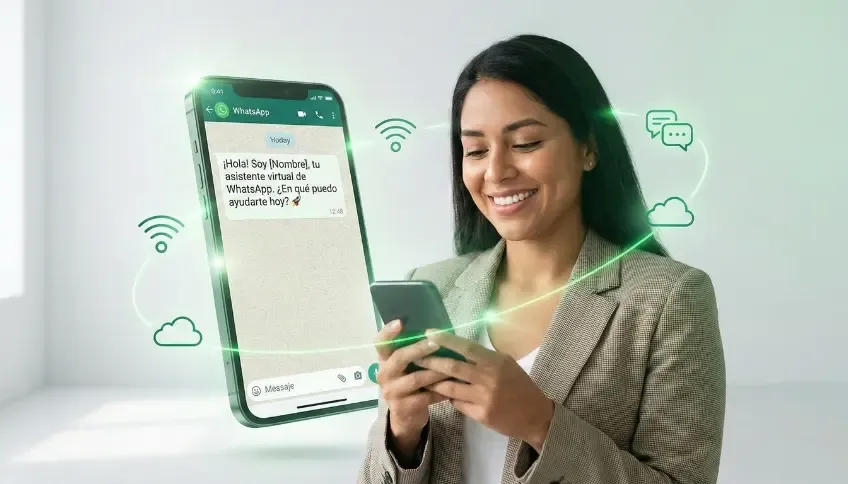
Looking for a fast, professional way to connect with your customers? A WhatsApp link is the most powerful tool for removing friction from your digital communication. Instead of forcing users to save your number manually, a single click takes them straight into a chat with you.
With our free WhatsApp link generator, you can create a professional shortcut in seconds that includes a pre-set message. This not only improves the user experience — it significantly increases your conversion rate.
How does our WhatsApp Link Generator work?
We designed an intuitive tool so you don’t waste time. To get your WhatsApp link, just follow these three simple steps in the form below:
- Country code: Select or enter your region’s international code (e.g. +1 for the US/Canada or +34 for Spain).
- Phone number: Type your full number without spaces or dashes.
- Custom message: Write the text you want your customers to send automatically (e.g. “Hi, I’d like more information about your services”).
That’s it! Click generate and you’ll get your link ready to copy and paste.
WhatsApp Link Generator
Create your custom link in seconds
Benefits of using a WhatsApp link generator with a custom message
Using a WhatsApp link generator isn’t just about convenience — it’s a smart marketing move. Here’s why you should start using them today:
- Less friction: The customer reaches you in a single click.
- Sales automation: By setting a specific message, you already know exactly which product or service the user is interested in before they even write to you.
- Perfect for social media: Ideal for your Instagram bio, Facebook posts, or TikTok Ads campaigns.
- Professionalism: A clean link projects a more organized, accessible brand image.
Where can you use your WhatsApp link?
Once you use our free WhatsApp link generator, the possibilities are endless. You can add it to:
- Buttons on your website: Turn your page into a live sales channel.
- Digital business cards: Make networking effortless.
- Email marketing campaigns: Let your subscribers reach you instantly.
Try our tool now and start receiving more messages today!
Frequently asked questions
How do I create a WhatsApp link for my business?
You just need your number with the country code and, optionally, a default message. With our free generator you can build it in seconds: pick your country, type your number without spaces, and the message you want pre-filled.
How do I create a WhatsApp link for direct chat?
A direct-chat link (format https://wa.me/number) opens a WhatsApp conversation without the user having to save your number as a contact. It is built by combining the country code and phone number; if you add a message, the chat opens with the text already typed in, ready to send with one tap.
Where can I generate a custom WhatsApp link for customer service?
Use the free generator in this article: set your support number and an opening message tailored to support, sales, or bookings — for example, “Hi, I need help with my order.” That way each channel can have its own link with a different greeting depending on context.
What is a WhatsApp link generator with a pre-filled message?
It is a tool that automatically builds a WhatsApp link that, once opened, already has a specific message typed into the chat box. The user just has to tap send. It tells the customer exactly what to write and gives you instant context on what brought them to that link.
What are the best tools for creating professional WhatsApp links?
The base option is Meta’s own official format (wa.me), which any generator uses as its foundation. What sets a good tool apart is being free, not requiring signup, letting you pick the country code for anywhere in the world, and sanitizing the message to avoid errors.
How do I add a WhatsApp link to my Instagram profile?
Generate your link with the message you want, copy it, and paste it into the “Website” field of your Instagram profile (Edit Profile → Website) or in your bio. That way any visitor goes from your profile to a chat with you in a single tap.
Can a WhatsApp link be used for digital marketing campaigns?
Yes, and it is one of the most effective ways to convert. You can use it as the destination for Meta Ads or Google Ads, in your email signature, on QR codes on printed material, or on landing pages, personalizing the message per campaign.
What are the best practices for using WhatsApp links in digital marketing?
Use a short, channel-specific pre-filled message, avoid overloading it with emojis or all caps, and create a different link per campaign so you can measure which source drives more conversations. Never use it to send bulk messages without consent: that violates WhatsApp’s policies and can get your number blocked.
How do I insert a WhatsApp link into a business website?
The simplest way is a floating button or icon linked to your wa.me URL, visible on every page. You can also add it within a specific section, next to a product or plan. On WordPress there are floating-button plugins; on custom-built sites, a plain HTML link is enough.
How do I access WhatsApp group link settings?
This is different from the direct-chat links this tool generates. Group links (chat.whatsapp.com/…) are configured from the WhatsApp app itself: open the group → tap the group name → “Invite via link.” This generator is built for individual chat links (wa.me), not for group invitations.